USD account in your name
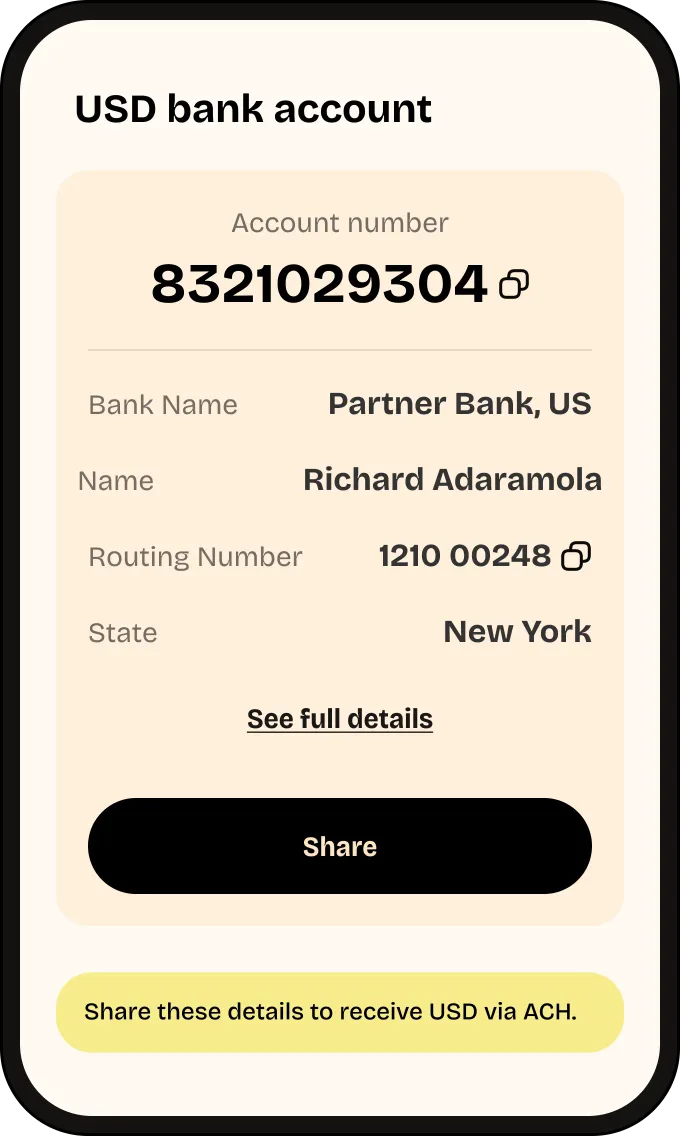
Request and verify in the Accrue app. Once your account is approved, receive ACH transfers and cash out to your local bank or mobile money.

How to request a USD account
Three steps in the app. Two of them are verification, and they are handled by different parties.
- Step 1
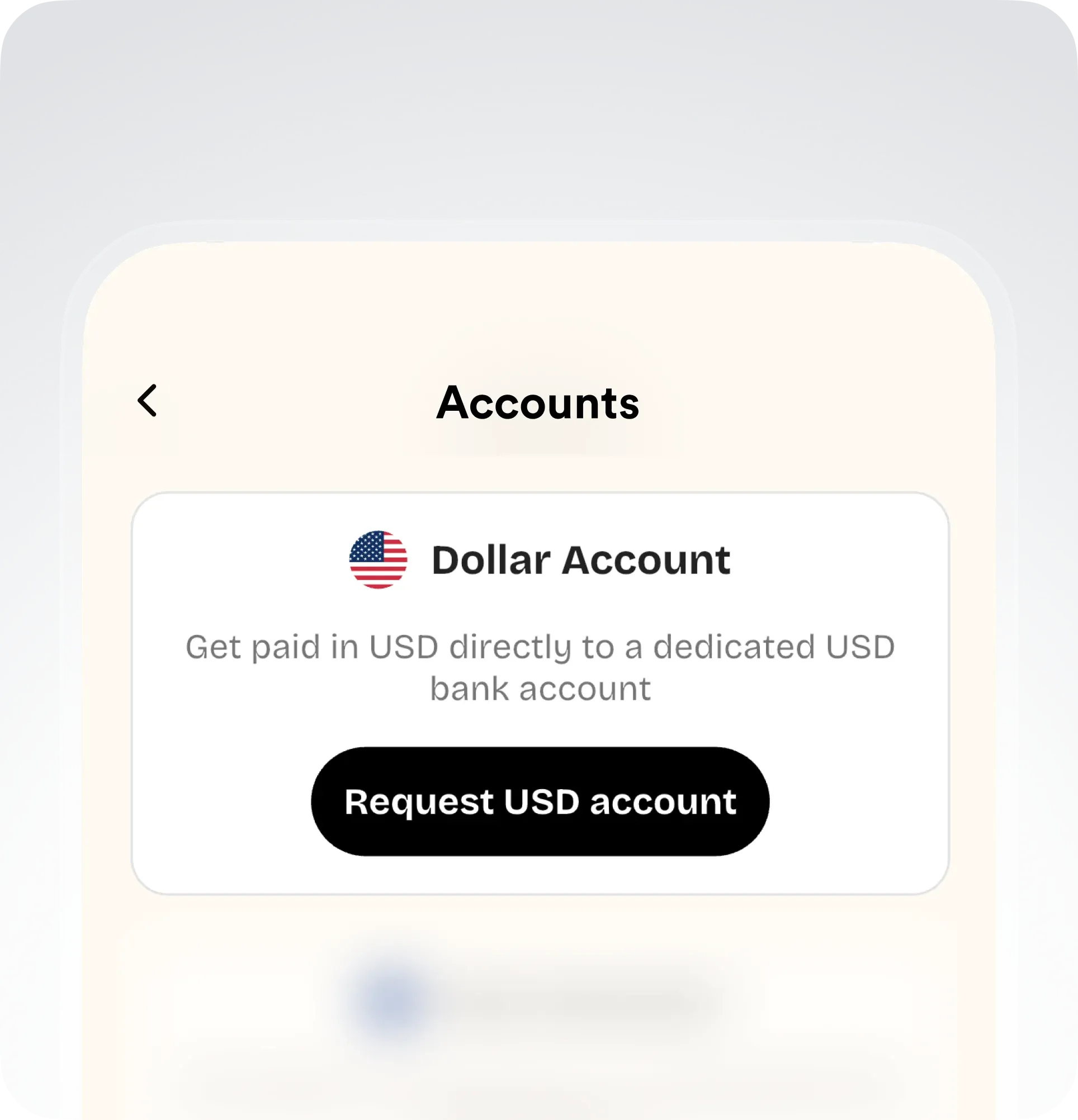
Request Account
Open Accrue, tap Accounts from Home, then choose USD account.
- Step 2
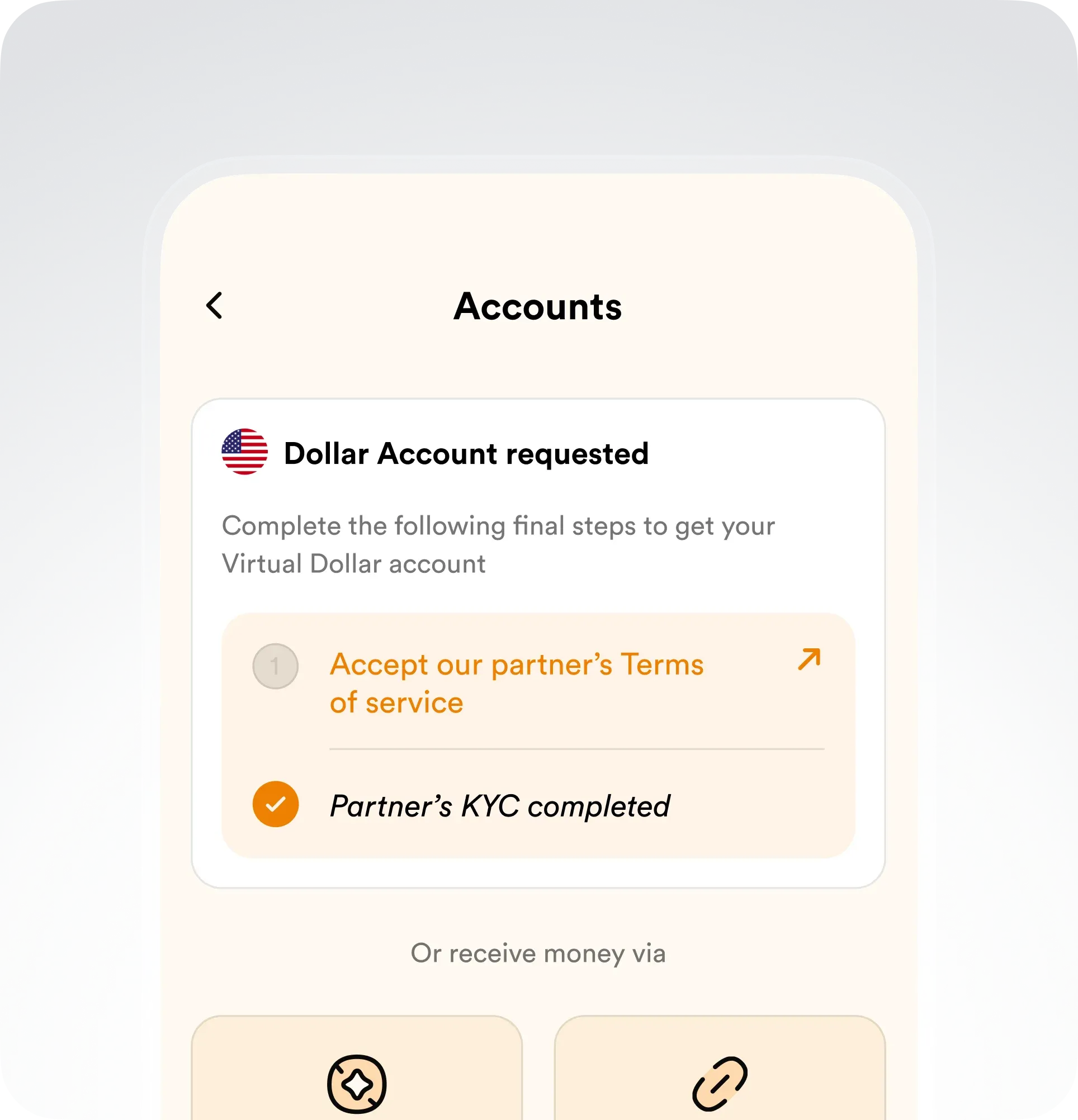
Complete Partner KYC
Confirm and accept our partner's terms, KYC fee, deposit fee, monthly limit and maintenance fee, then submit your request.
- Step 3
All done!
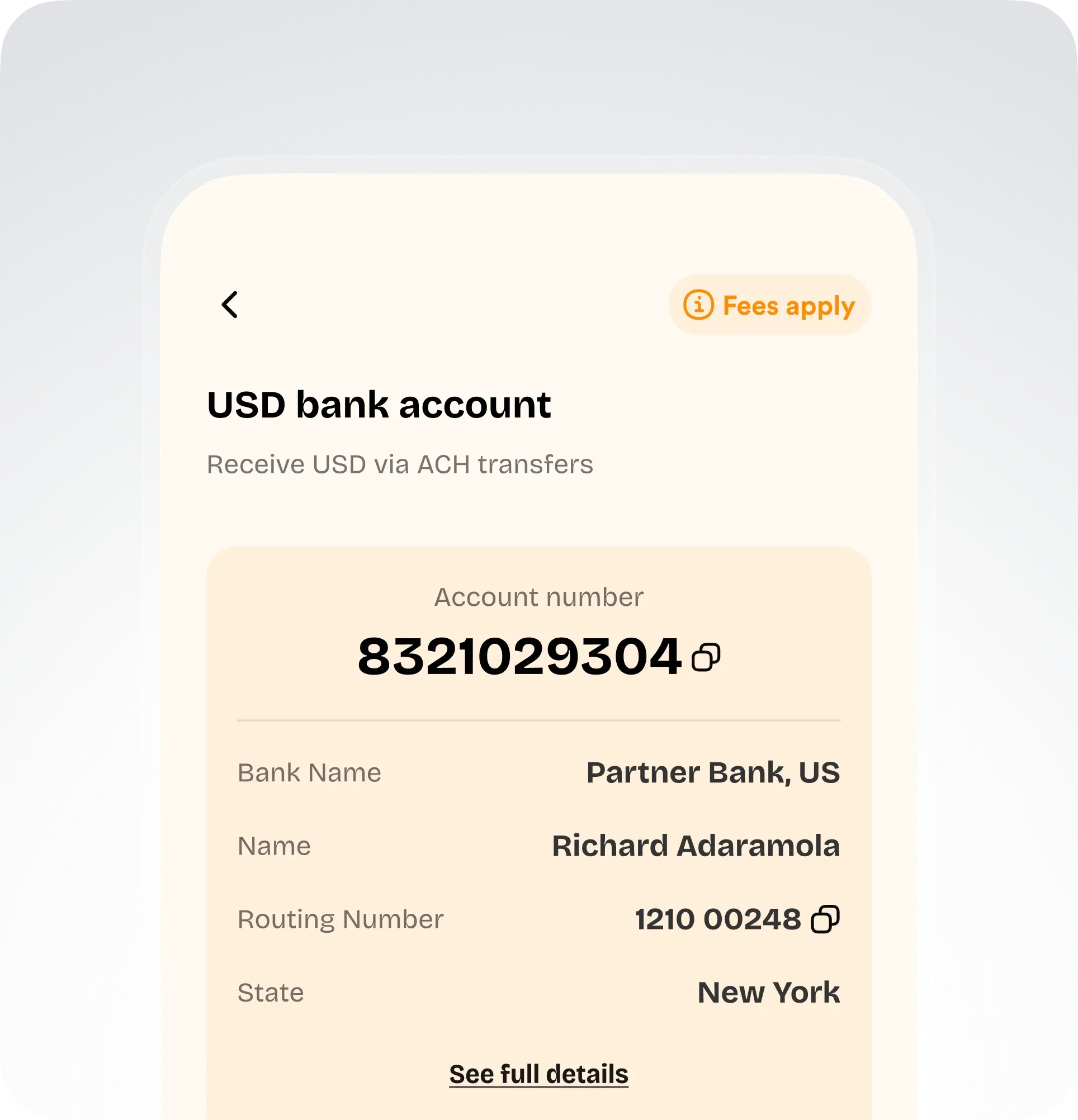
Follow your pending request in Accounts. Once it is approved, use your account and routing number to receive USD via ACH.
What you get
Your account details
Beneficiary name, account number, bank name and routing number.
Receive USD instantly
Share the details with anyone sending you USD by ACH transfer.
Withdraw to local bank
Easily withdraw USD received to your local bank or mobile money account.